What that Picture drops you into a kids challenge you can start in a couple of seconds. Think puzzle and for kids — that is the shape of it. You can jump in for two minutes or lose an hour to it; either works.
About What that Picture
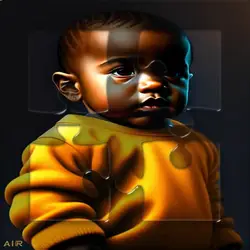
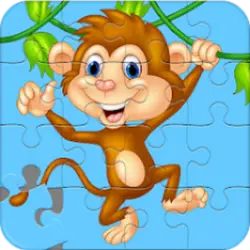
This game is a really fun kids puzzle app game! The goal is really simple: Guess the right image before the picture completely unscrable, and boom! Your on to the next picture. Key Features: - 90 different pictures. - Super 2D cute graphic. - Great audio effects. - Super simple gameplay. - Suitable for all family. - It's a quite kids game.
How to play What that Picture
The rules land within the first few seconds of play. Nothing about the control scheme is unusual; the table below covers all of it. The game runs in portrait, so on a phone you can play one-handed, and on desktop it stays centred rather than stretched out of shape. Expect the first attempt to be a write-off; that is normal here.
Controls
| Input | Action |
|---|---|
| Mouse | Select and drag pieces |
| Left click | Confirm a move |
On mobile: Tap and swipe directly on the screen. The game is built for portrait, so you can play one-handed without rotating your phone.
Why it is worth playing
What that Picture is easy to start and harder to master, which is the balance the best browser games hit. A browser game does not need to be more than that.
At a glance
- Free to play with no account required
- Runs in the browser — nothing to download or install
- Portrait layout, comfortable one-handed on mobile
- Keyboard and mouse on desktop, full touch support on mobile.
- Puzzle gameplay — Slow down and solve it
- For Kids gameplay — Simple, friendly and safe for younger players
- Added to our catalogue from a 2022 release
Frequently asked questions
Is What that Picture free to play?
Yes. What that Picture is completely free and runs in your browser. There is no purchase, no subscription and no account needed — open the page and play.
Do I need to download or install anything?
No. What that Picture is an HTML5 game that runs inside the page itself. There is nothing to install, no plugin and no launcher — it loads like any other web page.
Can I play What that Picture on my phone?
Yes. Tap and swipe directly on the screen. The game is built for portrait, so you can play one-handed without rotating your phone.
What are the controls for What that Picture?
Keyboard and mouse on desktop, full touch support on mobile. Mouse — select and drag pieces; Left click — confirm a move.
Can I play What that Picture fullscreen?
Yes. Use the fullscreen button in the top-right of the game player to expand it to the whole screen, and press Escape to come back out.
What kind of game is What that Picture?
What that Picture is a kids game built around puzzle and for kids. If that is the sort of thing you enjoy, the related games further down the page are picked using the same tags.