Kids: Zoo Fun is a free kids game you can play right here in your browser. The core of it is puzzle and for kids. It works the same on desktop, tablet and phone, and your progress picks up where the game left it.
About Kids: Zoo Fun
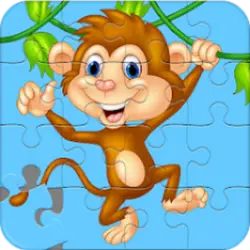
This jigsaw puzzle game is suitable for both children and parents. The goal of the game is to assemble each picture. The game comes with three difficulties with increasing amount of pieces for each picture. Settings and instructions are protected by a simple parental lock.
How to play Kids: Zoo Fun
The rules land within the first few seconds of play. The full control mapping is in the table below and takes a moment to skim. Landscape layout: give it the fullscreen button on desktop, or rotate your phone. Restarting is instant, so there is no cost to experimenting.
Controls
| Input | Action |
|---|---|
| Mouse | Select and drag pieces |
| Left click | Confirm a move |
On mobile: Tap and swipe on screen. Turn your phone sideways — this game is designed for landscape and fills a horizontal screen.
Why it is worth playing
The reason Kids: Zoo Fun holds up is restraint: it takes one idea — puzzle — and builds the whole game around it instead of padding it out. That is the whole pitch, and it is enough.
At a glance
- Free to play with no account required
- Runs in the browser — nothing to download or install
- Landscape layout with fullscreen support
- Keyboard and mouse on desktop, full touch support on mobile.
- Puzzle gameplay — Slow down and solve it
- For Kids gameplay — Simple, friendly and safe for younger players
- Added to our catalogue from a 2020 release
Frequently asked questions
Is Kids: Zoo Fun free to play?
Yes. Kids: Zoo Fun is completely free and runs in your browser. There is no purchase, no subscription and no account needed — open the page and play.
Do I need to download or install anything?
No download, no installer, no plugin. Kids: Zoo Fun is HTML5, so the browser plays it directly.
Can I play Kids: Zoo Fun on my phone?
Yes. Tap and swipe on screen. Turn your phone sideways — this game is designed for landscape and fills a horizontal screen.
What are the controls for Kids: Zoo Fun?
Keyboard and mouse on desktop, full touch support on mobile. Mouse — select and drag pieces; Left click — confirm a move.
Can I play Kids: Zoo Fun fullscreen?
Yes — the button in the top-right corner of the player goes fullscreen, and Escape returns you to the page.
What kind of game is Kids: Zoo Fun?
Kids: Zoo Fun is a kids game built around puzzle and for kids. If that is the sort of thing you enjoy, the related games further down the page are picked using the same tags.