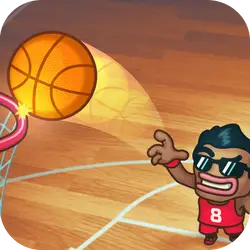
Quick Target is a browser-based sports game that runs instantly, with nothing to install. You can jump in for two minutes or lose an hour to it; either works.
About Quick Target
Play against the time in this challenging game "Quick Target". You have 30 seconds for doing as many points as you can. Hit blue - orange targets for extra time. Try to aim the center for higher points Avoid hitting danger skull.
How to play Quick Target
Press play and the first round teaches you the rest. You will want a keyboard for this one — the arrow keys / WASD carry most of it, and the table below has the rest. Portrait layout: hold the phone the way you normally do, or play it centred in the page on desktop. There is no penalty for failing, so push a little harder than feels safe.
Controls
| Input | Action |
|---|---|
| Mouse | Navigate menus and interact |
| Arrow keys / WASD | Move |
| Spacebar | Primary action |
On mobile: Tap and swipe directly on the screen. The game is built for portrait, so you can play one-handed without rotating your phone.
Why it is worth playing
Difficulty in Quick Target comes from the game itself rather than from waiting, unlocking or paying, which is rarer than it should be. The result is something you can pick up cold months later.
At a glance
- Free to play with no account required
- Runs in the browser — nothing to download or install
- Portrait layout, comfortable one-handed on mobile
- Keyboard and mouse on desktop, full touch support on mobile.
- Added to our catalogue from a 2021 release
Frequently asked questions
Is Quick Target free to play?
Yes, entirely free. Quick Target costs nothing to play, asks for no card and has no paid tier hiding behind it.
Do I need to download or install anything?
Nothing at all. Quick Target runs in the browser tab you already have open, the same way a video or a map does.
Can I play Quick Target on my phone?
Yes — mobile is fully supported. Tap and swipe directly on the screen. The game is built for portrait, so you can play one-handed without rotating your phone.
What are the controls for Quick Target?
Keyboard and mouse on desktop, full touch support on mobile. Mouse — navigate menus and interact; Arrow keys / WASD — move; Spacebar — primary action.
Can I play Quick Target fullscreen?
Yes. Use the fullscreen button in the top-right of the game player to expand it to the whole screen, and press Escape to come back out.