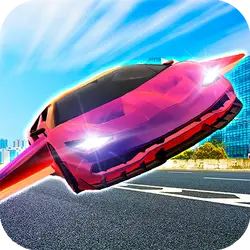
Looking for a quick sports game? Moto X3M: Spooky Land runs in the browser and needs no download. The core of it is car and bike & moto. You can jump in for two minutes or lose an hour to it; either works.
About Moto X3M: Spooky Land
Drive your motorbike through Halloween-themed tracks filled with obstacles and stunt opportunities. Get your bike through the trials quickly to earn more points!
How to play Moto X3M: Spooky Land
Getting started takes about ten seconds. On desktop the arrow keys / WASD do the moving; the full mapping is in the table below. Landscape layout: give it the fullscreen button on desktop, or rotate your phone. Nothing is lost by trying something reckless once.
Controls
| Input | Action |
|---|---|
| Arrow keys / WASD | Drive and steer |
| Spacebar | Brake |
On mobile: Tap and swipe on screen. Turn your phone sideways — this game is designed for landscape and fills a horizontal screen.
Why it is worth playing
Sports games live or die on how fast they get going. Moto X3M: Spooky Land gets going immediately. That is the whole pitch, and it is enough.
At a glance
- Free to play with no account required
- Runs in the browser — nothing to download or install
- Landscape layout with fullscreen support
- Keyboard and mouse on desktop, full touch support on mobile.
- Car gameplay — Anything with four wheels and an engine
- Bike & Moto gameplay — Two wheels, big air, harder landings
- Added to our catalogue from a 2020 release
Frequently asked questions
Is Moto X3M: Spooky Land free to play?
It is free. There is no trial, no unlock and no sign-up wall on Moto X3M: Spooky Land — the page you are on is the whole thing.
Do I need to download or install anything?
No download, no installer, no plugin. Moto X3M: Spooky Land is HTML5, so the browser plays it directly.
Can I play Moto X3M: Spooky Land on my phone?
It works on phones and tablets. Tap and swipe on screen. Turn your phone sideways — this game is designed for landscape and fills a horizontal screen.
What are the controls for Moto X3M: Spooky Land?
Keyboard and mouse on desktop, full touch support on mobile. Arrow keys / WASD — drive and steer; Spacebar — brake.
Can I play Moto X3M: Spooky Land fullscreen?
Yes — the button in the top-right corner of the player goes fullscreen, and Escape returns you to the page.
What kind of game is Moto X3M: Spooky Land?
Moto X3M: Spooky Land is a sports game built around car and bike & moto. If that is the sort of thing you enjoy, the related games further down the page are picked using the same tags.