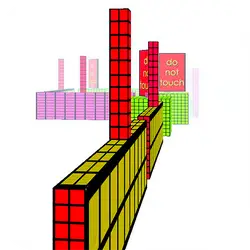
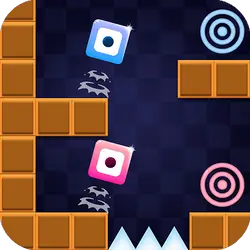
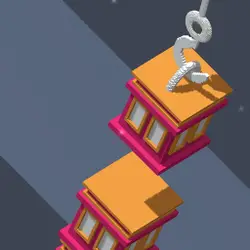
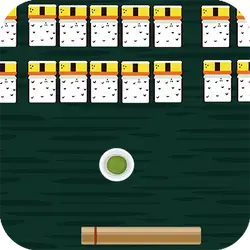
Brickball drops you into a arcade challenge you can start in a couple of seconds. It leans on block & tetris-like, so expect short rounds you can repeat. It works the same on desktop, tablet and phone, and your progress picks up where the game left it.
About Brickball
brick ball accumulates points, speed will be a problem?
How to play Brickball
There is very little to learn before your first run. On desktop the arrow keys / WASD do the moving; the full mapping is in the table below. The game is wide rather than tall — fullscreen is worth it on a monitor, and on a phone the picture is much better sideways. The second run is always better than the first — that is the whole learning curve.
Controls
| Input | Action |
|---|---|
| Mouse | Navigate menus and interact |
| Arrow keys / WASD | Move |
| Spacebar | Primary action |
On mobile: Tap and swipe on screen. Turn your phone sideways — this game is designed for landscape and fills a horizontal screen.
Why it is worth playing
Brickball is the kind of game that fits into a gap between other things. Two minutes is a real session, and so is an hour. A browser game does not need to be more than that.
At a glance
- Free to play with no account required
- Runs in the browser — nothing to download or install
- Landscape layout with fullscreen support
- Keyboard and mouse on desktop, full touch support on mobile.
- Block & Tetris-like gameplay — Fit the shapes, clear the lines
- Added to our catalogue from a 2021 release
Frequently asked questions
Is Brickball free to play?
Yes. Brickball is completely free and runs in your browser. There is no purchase, no subscription and no account needed — open the page and play.
Do I need to download or install anything?
No download, no installer, no plugin. Brickball is HTML5, so the browser plays it directly.
Can I play Brickball on my phone?
Yes. Tap and swipe on screen. Turn your phone sideways — this game is designed for landscape and fills a horizontal screen.
What are the controls for Brickball?
Keyboard and mouse on desktop, full touch support on mobile. Mouse — navigate menus and interact; Arrow keys / WASD — move; Spacebar — primary action.
Can I play Brickball fullscreen?
Yes — the button in the top-right corner of the player goes fullscreen, and Escape returns you to the page.
What kind of game is Brickball?
Brickball is a arcade game built around block & tetris-like. If that is the sort of thing you enjoy, the related games further down the page are picked using the same tags.