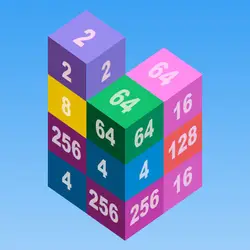
Color Blocks drops you into a arcade challenge you can start in a couple of seconds. Think block & tetris-like and 3d — that is the shape of it. You can jump in for two minutes or lose an hour to it; either works.
About Color Blocks
Color Blocks is easy to play and a pleasurable game for all ages! Simply drag the blocks and fill up all colored grids. Once you start, you will definitely be hooked: this 3D-style game awaits you!
How to play Color Blocks
Press play and the first round teaches you the rest. On desktop the arrow keys / WASD do the moving; the full mapping is in the table below. Portrait layout: hold the phone the way you normally do, or play it centred in the page on desktop. Restarting is instant, so there is no cost to experimenting.
Controls
| Input | Action |
|---|---|
| Mouse | Navigate menus and interact |
| Arrow keys / WASD | Move |
| Spacebar | Primary action |
On mobile: Tap and swipe directly on the screen. The game is built for portrait, so you can play one-handed without rotating your phone.
Why it is worth playing
Color Blocks is the kind of game that fits into a gap between other things. Two minutes is a real session, and so is an hour. Nothing about it assumes you have played it before.
At a glance
- Free to play with no account required
- Runs in the browser — nothing to download or install
- Portrait layout, comfortable one-handed on mobile
- Keyboard and mouse on desktop, full touch support on mobile.
- Block & Tetris-like gameplay — Fit the shapes, clear the lines
- 3D gameplay — Fully three-dimensional worlds
- Added to our catalogue from a 2017 release
Frequently asked questions
Is Color Blocks free to play?
It is free. There is no trial, no unlock and no sign-up wall on Color Blocks — the page you are on is the whole thing.
Do I need to download or install anything?
Nothing at all. Color Blocks runs in the browser tab you already have open, the same way a video or a map does.
Can I play Color Blocks on my phone?
Yes. Tap and swipe directly on the screen. The game is built for portrait, so you can play one-handed without rotating your phone.
What are the controls for Color Blocks?
Keyboard and mouse on desktop, full touch support on mobile. Mouse — navigate menus and interact; Arrow keys / WASD — move; Spacebar — primary action.
Can I play Color Blocks fullscreen?
Yes. Use the fullscreen button in the top-right of the game player to expand it to the whole screen, and press Escape to come back out.
What kind of game is Color Blocks?
Color Blocks is a arcade game built around block & tetris-like and 3d. If that is the sort of thing you enjoy, the related games further down the page are picked using the same tags.