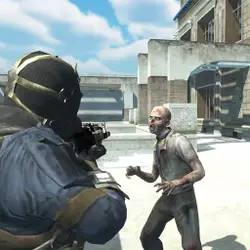
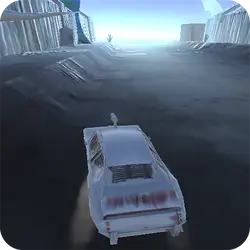
Zombie Chase drops you into a arcade challenge you can start in a couple of seconds. The core of it is racing, zombie and strategy. No account, no install and no plugins — just the game in a browser tab.
About Zombie Chase
Zombie Chase is an apocalyptic racing game where the player will have to use his strategy from start to finish to be the survivor of the game.
How to play Zombie Chase
Nothing here needs explaining twice. Keep a hand on the arrow keys / WASD; everything else is listed in the controls table. Landscape layout: give it the fullscreen button on desktop, or rotate your phone. If a round goes badly, restart — attempts are cheap and it is usually the fastest way to improve.
Controls
| Input | Action |
|---|---|
| Arrow keys / WASD | Steer, accelerate and brake |
| Spacebar | Handbrake or nitro boost |
| R | Reset the car after a crash |
On mobile: Tap and swipe on screen. Turn your phone sideways — this game is designed for landscape and fills a horizontal screen.
Why it is worth playing
Zombie Chase does one thing and does it properly. There is no bloat around the edges, which is exactly what you want from a arcade game in a browser tab. The result is something you can pick up cold months later.
At a glance
- Free to play with no account required
- Runs in the browser — nothing to download or install
- Landscape layout with fullscreen support
- Keyboard and mouse on desktop, full touch support on mobile.
- Racing gameplay — Throttle down and take the first place
- Zombie gameplay — Survive the horde
- Strategy gameplay — Plan several moves ahead
- Added to our catalogue from a 2021 release
Frequently asked questions
Is Zombie Chase free to play?
Yes. Zombie Chase is completely free and runs in your browser. There is no purchase, no subscription and no account needed — open the page and play.
Do I need to download or install anything?
Nothing at all. Zombie Chase runs in the browser tab you already have open, the same way a video or a map does.
Can I play Zombie Chase on my phone?
It works on phones and tablets. Tap and swipe on screen. Turn your phone sideways — this game is designed for landscape and fills a horizontal screen.
What are the controls for Zombie Chase?
Keyboard and mouse on desktop, full touch support on mobile. Arrow keys / WASD — steer, accelerate and brake; Spacebar — handbrake or nitro boost; R — reset the car after a crash.
Can I play Zombie Chase fullscreen?
Yes — the button in the top-right corner of the player goes fullscreen, and Escape returns you to the page.
What kind of game is Zombie Chase?
Zombie Chase is a arcade game built around racing, zombie and strategy. If that is the sort of thing you enjoy, the related games further down the page are picked using the same tags.