Play Words Geems free online — a kids game that loads straight into the page. Think puzzle and word — that is the shape of it. No account, no install and no plugins — just the game in a browser tab.
About Words Geems
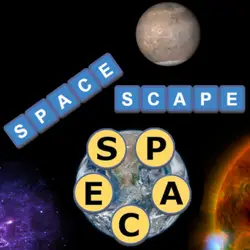
The objective of Words Geems is to make as many 3 - 8 letter words as you can before the 3 minute clock runs out. Using the gems in your words will increase your word score. Pink gems will 2x your score, Blue gems will 3x your score and Purple gems will 5x your score. Pausing the game more than 3 times in one round will reset the game. Words Geems is very fun for the whole family! Product feature bullets: • Great for all family • Never get the same puzzle twice • Nice graphics • Local scoreboard • Awesome puzzle logic game
How to play Words Geems
Nothing here needs explaining twice. Nothing about the control scheme is unusual; the table below covers all of it. Landscape layout: give it the fullscreen button on desktop, or rotate your phone. Take the first run as practice and the second one seriously.
Controls
| Input | Action |
|---|---|
| Mouse | Select and drag pieces |
| Left click | Confirm a move |
On mobile: Tap and swipe on screen. Turn your phone sideways — this game is designed for landscape and fills a horizontal screen.
Why it is worth playing
Words Geems is the kind of game that fits into a gap between other things. Two minutes is a real session, and so is an hour. That is a rarer quality than it sounds.
At a glance
- Free to play with no account required
- Runs in the browser — nothing to download or install
- Landscape layout with fullscreen support
- Keyboard and mouse on desktop, full touch support on mobile.
- Puzzle gameplay — Slow down and solve it
- Word gameplay — Vocabulary under pressure
- Added to our catalogue from a 2022 release
Frequently asked questions
Is Words Geems free to play?
Yes, entirely free. Words Geems costs nothing to play, asks for no card and has no paid tier hiding behind it.
Do I need to download or install anything?
No download, no installer, no plugin. Words Geems is HTML5, so the browser plays it directly.
Can I play Words Geems on my phone?
Yes. Tap and swipe on screen. Turn your phone sideways — this game is designed for landscape and fills a horizontal screen.
What are the controls for Words Geems?
Keyboard and mouse on desktop, full touch support on mobile. Mouse — select and drag pieces; Left click — confirm a move.
Can I play Words Geems fullscreen?
Yes. Use the fullscreen button in the top-right of the game player to expand it to the whole screen, and press Escape to come back out.
What kind of game is Words Geems?
Words Geems is a kids game built around puzzle and word. If that is the sort of thing you enjoy, the related games further down the page are picked using the same tags.