Punch Kid drops you into a arcade challenge you can start in a couple of seconds. Think parkour & running — that is the shape of it. No account, no install and no plugins — just the game in a browser tab.
About Punch Kid
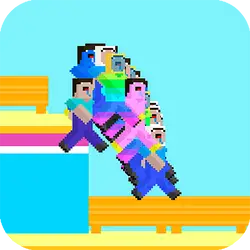
Be the champ and knock down as many tree as possible with your mega punch! Play this adrenaline rush game with lots of intensity. Be specific with your timing as you need to punch the tree in the exact time to smash it so you can create a way to run as far as you can. Achieve high scores are play lot more running games only with Mapi Games!
How to play Punch Kid
There is very little to learn before your first run. Keep a hand on the arrow keys / WASD; everything else is listed in the controls table. It is built tall rather than wide — comfortable one-handed on a phone, centred and uncropped on a monitor. Most players get the hang of it inside two or three attempts.
Controls
| Input | Action |
|---|---|
| Arrow keys / WASD | Run and change lane |
| Spacebar | Jump |
| Shift | Slide |
On mobile: Tap and swipe directly on the screen. The game is built for portrait, so you can play one-handed without rotating your phone.
Why it is worth playing
What makes Punch Kid stick is that failure is informative. You can usually name the mistake, and that is what makes another attempt tempting. The result is something you can pick up cold months later.
At a glance
- Free to play with no account required
- Runs in the browser — nothing to download or install
- Portrait layout, comfortable one-handed on mobile
- Keyboard and mouse on desktop, full touch support on mobile.
- Parkour & Running gameplay — Keep moving and never look down
- Added to our catalogue from a 2022 release
Frequently asked questions
Is Punch Kid free to play?
Yes. Punch Kid is completely free and runs in your browser. There is no purchase, no subscription and no account needed — open the page and play.
Do I need to download or install anything?
No download, no installer, no plugin. Punch Kid is HTML5, so the browser plays it directly.
Can I play Punch Kid on my phone?
It works on phones and tablets. Tap and swipe directly on the screen. The game is built for portrait, so you can play one-handed without rotating your phone.
What are the controls for Punch Kid?
Keyboard and mouse on desktop, full touch support on mobile. Arrow keys / WASD — run and change lane; Spacebar — jump; Shift — slide.
Can I play Punch Kid fullscreen?
There is a fullscreen control in the top-right of the player. Press Escape when you want the page back.
What kind of game is Punch Kid?
Punch Kid is a arcade game built around parkour & running. If that is the sort of thing you enjoy, the related games further down the page are picked using the same tags.