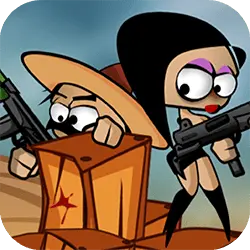
Pirate Kid is a browser-based adventure game that runs instantly, with nothing to install. Everything runs client-side, so it starts fast even on a modest connection.
About Pirate Kid
Get ready for a incredible sea adventure! Grab your pirate hat and run through the dangerous sea shore. Collect diamonds and avoid evil crabs, birds and spiky shells. Tap anywhere on the screen to jump - and tap again while in the air to do a double jump. How many diamonds would you be able to collect?
How to play Pirate Kid
The rules land within the first few seconds of play. You will want a keyboard for this one — the arrow keys / WASD carry most of it, and the table below has the rest. It fills the player in landscape, so use the fullscreen button on desktop and turn your phone sideways on mobile. There is no penalty for failing, so push a little harder than feels safe.
Controls
| Input | Action |
|---|---|
| Mouse | Navigate menus and interact |
| Arrow keys / WASD | Move |
| Spacebar | Primary action |
On mobile: Tap and swipe on screen. Turn your phone sideways — this game is designed for landscape and fills a horizontal screen.
Why it is worth playing
What makes Pirate Kid stick is that failure is informative. You can usually name the mistake, and that is what makes another attempt tempting. That is the whole pitch, and it is enough.
At a glance
- Free to play with no account required
- Runs in the browser — nothing to download or install
- Landscape layout with fullscreen support
- Keyboard and mouse on desktop, full touch support on mobile.
- Added to our catalogue from a 2021 release
Frequently asked questions
Is Pirate Kid free to play?
Yes. Pirate Kid is completely free and runs in your browser. There is no purchase, no subscription and no account needed — open the page and play.
Do I need to download or install anything?
No download, no installer, no plugin. Pirate Kid is HTML5, so the browser plays it directly.
Can I play Pirate Kid on my phone?
Yes. Tap and swipe on screen. Turn your phone sideways — this game is designed for landscape and fills a horizontal screen.
What are the controls for Pirate Kid?
Keyboard and mouse on desktop, full touch support on mobile. Mouse — navigate menus and interact; Arrow keys / WASD — move; Spacebar — primary action.
Can I play Pirate Kid fullscreen?
Yes — the button in the top-right corner of the player goes fullscreen, and Escape returns you to the page.