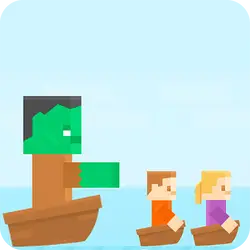
Multi-player Pong - 2 players drops you into a arcade challenge you can start in a couple of seconds. The core of it is 2 player. You can jump in for two minutes or lose an hour to it; either works.
About Multi-player Pong - 2 players
Challenge your friends to a game of pong, the first to reach 3 points wins! The player one to move press "w" , "s" and player 2 press "o", "l"
How to play Multi-player Pong - 2 players
The rules land within the first few seconds of play. Keep a hand on the arrow keys / WASD; everything else is listed in the controls table. It fills the player in landscape, so use the fullscreen button on desktop and turn your phone sideways on mobile. If a round goes badly, restart — attempts are cheap and it is usually the fastest way to improve.
Controls
| Input | Action |
|---|---|
| Mouse | Navigate menus and interact |
| Arrow keys / WASD | Move |
| Spacebar | Primary action |
On mobile: Tap and swipe on screen. Turn your phone sideways — this game is designed for landscape and fills a horizontal screen.
Why it is worth playing
Multi-player Pong - 2 players is the kind of game that fits into a gap between other things. Two minutes is a real session, and so is an hour. That is a rarer quality than it sounds.
At a glance
- Free to play with no account required
- Runs in the browser — nothing to download or install
- Landscape layout with fullscreen support
- Keyboard and mouse on desktop, full touch support on mobile.
- 2 Player gameplay — Grab a friend and share one screen
- Added to our catalogue from a 2021 release
Frequently asked questions
Is Multi-player Pong - 2 players free to play?
Yes, entirely free. Multi-player Pong - 2 players costs nothing to play, asks for no card and has no paid tier hiding behind it.
Do I need to download or install anything?
No download, no installer, no plugin. Multi-player Pong - 2 players is HTML5, so the browser plays it directly.
Can I play Multi-player Pong - 2 players on my phone?
Yes — mobile is fully supported. Tap and swipe on screen. Turn your phone sideways — this game is designed for landscape and fills a horizontal screen.
What are the controls for Multi-player Pong - 2 players?
Keyboard and mouse on desktop, full touch support on mobile. Mouse — navigate menus and interact; Arrow keys / WASD — move; Spacebar — primary action.
Can I play Multi-player Pong - 2 players fullscreen?
Yes — the button in the top-right corner of the player goes fullscreen, and Escape returns you to the page.
What kind of game is Multi-player Pong - 2 players?
Multi-player Pong - 2 players is a arcade game built around 2 player. If that is the sort of thing you enjoy, the related games further down the page are picked using the same tags.