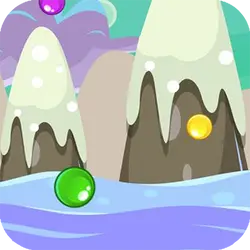
Mouse Pop is a free adventure game you can play right here in your browser. It leans on match 3 and bubble shooter, so expect short rounds you can repeat. You can jump in for two minutes or lose an hour to it; either works.
About Mouse Pop
Pop Pop. Tap and swipe bubbles to switch places. Match 3 or more bubbles to blast them away. The faster you reach the target, the more points you receive. During the game, you will receive special bonus features. Use them wisely, since you don’t have unlimited moves.
How to play Mouse Pop
Nothing here needs explaining twice. The full control mapping is in the table below and takes a moment to skim. It fills the player in landscape, so use the fullscreen button on desktop and turn your phone sideways on mobile. Restarting is instant, so there is no cost to experimenting.
Controls
| Input | Action |
|---|---|
| Mouse | Swap adjacent tiles |
| Left click / drag | Make a match |
On mobile: Tap and swipe on screen. Turn your phone sideways — this game is designed for landscape and fills a horizontal screen.
Why it is worth playing
Difficulty in Mouse Pop comes from the game itself rather than from waiting, unlocking or paying, which is rarer than it should be. That is a rarer quality than it sounds.
At a glance
- Free to play with no account required
- Runs in the browser — nothing to download or install
- Landscape layout with fullscreen support
- Keyboard and mouse on desktop, full touch support on mobile.
- Match 3 gameplay — Line up three or more and clear the board
- Bubble Shooter gameplay — Pop groups of three or more
- Added to our catalogue from a 2023 release
Frequently asked questions
Is Mouse Pop free to play?
Yes, entirely free. Mouse Pop costs nothing to play, asks for no card and has no paid tier hiding behind it.
Do I need to download or install anything?
Nothing at all. Mouse Pop runs in the browser tab you already have open, the same way a video or a map does.
Can I play Mouse Pop on my phone?
It works on phones and tablets. Tap and swipe on screen. Turn your phone sideways — this game is designed for landscape and fills a horizontal screen.
What are the controls for Mouse Pop?
Keyboard and mouse on desktop, full touch support on mobile. Mouse — swap adjacent tiles; Left click / drag — make a match.
Can I play Mouse Pop fullscreen?
Yes — the button in the top-right corner of the player goes fullscreen, and Escape returns you to the page.
What kind of game is Mouse Pop?
Mouse Pop is a adventure game built around match 3 and bubble shooter. If that is the sort of thing you enjoy, the related games further down the page are picked using the same tags.