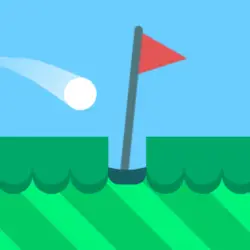
Minigolf Kingdom is a free classics game you can play right here in your browser. It leans on golf, so expect a steady difficulty curve. There is no sign-up, no launcher and no wait — press play and you are in.
About Minigolf Kingdom
Do you know what garden gnomes do when nobody's watching? They are playing "Minigolf Kingdom"! Grab the golf club and join the gnomes throughout the 12 minigolf courses.
How to play Minigolf Kingdom
There is no tutorial to sit through — the game explains itself. On desktop the arrow keys / WASD do the moving; the full mapping is in the table below. The game is wide rather than tall — fullscreen is worth it on a monitor, and on a phone the picture is much better sideways. There is no penalty for failing, so push a little harder than feels safe.
Controls
| Input | Action |
|---|---|
| Mouse | Navigate menus and interact |
| Arrow keys / WASD | Move |
| Spacebar | Primary action |
On mobile: Tap and swipe on screen. Turn your phone sideways — this game is designed for landscape and fills a horizontal screen.
Why it is worth playing
What keeps Minigolf Kingdom worth returning to is how quickly a single round resolves. It respects your time — you are never more than a click from another attempt. That is the whole pitch, and it is enough.
At a glance
- Free to play with no account required
- Runs in the browser — nothing to download or install
- Landscape layout with fullscreen support
- Keyboard and mouse on desktop, full touch support on mobile.
- Golf gameplay — Precision over power
- Added to our catalogue from a 2015 release
Frequently asked questions
Is Minigolf Kingdom free to play?
Yes. Minigolf Kingdom is completely free and runs in your browser. There is no purchase, no subscription and no account needed — open the page and play.
Do I need to download or install anything?
No download, no installer, no plugin. Minigolf Kingdom is HTML5, so the browser plays it directly.
Can I play Minigolf Kingdom on my phone?
Yes — mobile is fully supported. Tap and swipe on screen. Turn your phone sideways — this game is designed for landscape and fills a horizontal screen.
What are the controls for Minigolf Kingdom?
Keyboard and mouse on desktop, full touch support on mobile. Mouse — navigate menus and interact; Arrow keys / WASD — move; Spacebar — primary action.
Can I play Minigolf Kingdom fullscreen?
There is a fullscreen control in the top-right of the player. Press Escape when you want the page back.
What kind of game is Minigolf Kingdom?
Minigolf Kingdom is a classics game built around golf. If that is the sort of thing you enjoy, the related games further down the page are picked using the same tags.