Play Knight Memory Match free online — a puzzle game that loads straight into the page. It leans on puzzle, memory and retro & arcade, so expect plenty of replay value. There is no sign-up, no launcher and no wait — press play and you are in.
About Knight Memory Match
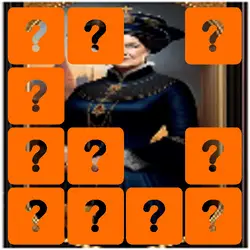
Welcome to Knight Memory Match, a classic puzzle game where players must slide tiles to reassemble a picture. Move the blocks by touching or clicking on them to solve the puzzle. In Knight Memory Match, players are challenged to solve the puzzle by sliding tiles to reassemble a picture. The objective of the game is to move the blocks by touching or clicking on them until the picture is complete. Welcome to Knight Memory Match and enjoy solving the puzzle.
How to play Knight Memory Match
Nothing here needs explaining twice. Nothing about the control scheme is unusual; the table below covers all of it. The game runs in portrait, so on a phone you can play one-handed, and on desktop it stays centred rather than stretched out of shape. The second run is always better than the first — that is the whole learning curve.
Controls
| Input | Action |
|---|---|
| Mouse | Select and drag pieces |
| Left click | Confirm a move |
On mobile: Tap and swipe directly on the screen. The game is built for portrait, so you can play one-handed without rotating your phone.
Why it is worth playing
The reason Knight Memory Match holds up is restraint: it takes one idea — puzzle — and builds the whole game around it instead of padding it out. It is not trying to be anything larger, and it is better for it.
At a glance
- Free to play with no account required
- Runs in the browser — nothing to download or install
- Portrait layout, comfortable one-handed on mobile
- Keyboard and mouse on desktop, full touch support on mobile.
- Puzzle gameplay — Slow down and solve it
- Memory gameplay — Train your recall
- Retro & Arcade gameplay — Cabinet-era games that still hold up
- Added to our catalogue from a 2023 release
Frequently asked questions
Is Knight Memory Match free to play?
Yes, entirely free. Knight Memory Match costs nothing to play, asks for no card and has no paid tier hiding behind it.
Do I need to download or install anything?
No download, no installer, no plugin. Knight Memory Match is HTML5, so the browser plays it directly.
Can I play Knight Memory Match on my phone?
Yes — mobile is fully supported. Tap and swipe directly on the screen. The game is built for portrait, so you can play one-handed without rotating your phone.
What are the controls for Knight Memory Match?
Keyboard and mouse on desktop, full touch support on mobile. Mouse — select and drag pieces; Left click — confirm a move.
Can I play Knight Memory Match fullscreen?
Yes — the button in the top-right corner of the player goes fullscreen, and Escape returns you to the page.
What kind of game is Knight Memory Match?
Knight Memory Match is a puzzle game built around puzzle, memory and retro & arcade. If that is the sort of thing you enjoy, the related games further down the page are picked using the same tags.