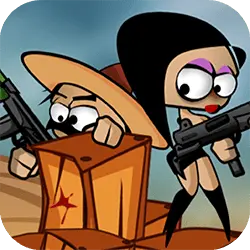
Play John the Pirate free online — a adventure game that loads straight into the page. You can jump in for two minutes or lose an hour to it; either works.
About John the Pirate
John is a fearless pirate and has ventured to seek treasure in uncharted lands inhabited by creatures from another world! With only his pistol he decided to face them alone – even though he was not aiming well!. John's Adventures is a platform game with 9 challenging levels and a boss. Collect coins to earn extra lives.
How to play John the Pirate
Press play and the first round teaches you the rest. Keep a hand on the arrow keys / WASD; everything else is listed in the controls table. It fills the player in landscape, so use the fullscreen button on desktop and turn your phone sideways on mobile. Restarting is instant, so there is no cost to experimenting.
Controls
| Input | Action |
|---|---|
| Mouse | Navigate menus and interact |
| Arrow keys / WASD | Move |
| Spacebar | Primary action |
On mobile: Tap and swipe on screen. Turn your phone sideways — this game is designed for landscape and fills a horizontal screen.
Why it is worth playing
John the Pirate is the kind of game that fits into a gap between other things. Two minutes is a real session, and so is an hour. It works as well on a phone on a bus as it does on a desktop.
At a glance
- Free to play with no account required
- Runs in the browser — nothing to download or install
- Landscape layout with fullscreen support
- Keyboard and mouse on desktop, full touch support on mobile.
- Added to our catalogue from a 2021 release
Frequently asked questions
Is John the Pirate free to play?
Yes. John the Pirate is completely free and runs in your browser. There is no purchase, no subscription and no account needed — open the page and play.
Do I need to download or install anything?
No download, no installer, no plugin. John the Pirate is HTML5, so the browser plays it directly.
Can I play John the Pirate on my phone?
Yes — mobile is fully supported. Tap and swipe on screen. Turn your phone sideways — this game is designed for landscape and fills a horizontal screen.
What are the controls for John the Pirate?
Keyboard and mouse on desktop, full touch support on mobile. Mouse — navigate menus and interact; Arrow keys / WASD — move; Spacebar — primary action.
Can I play John the Pirate fullscreen?
Yes — the button in the top-right corner of the player goes fullscreen, and Escape returns you to the page.