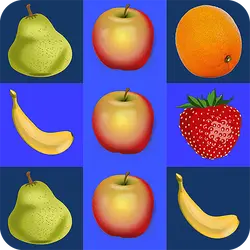
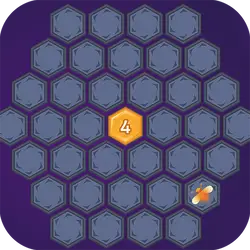
Get10 Plus drops you into a puzzle challenge you can start in a couple of seconds. It leans on math, so expect a steady difficulty curve. There is no sign-up, no launcher and no wait — press play and you are in.
About Get10 Plus
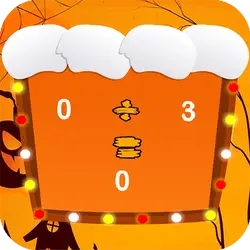
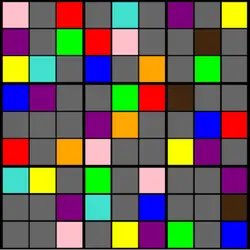
Do you like math or logic games? Thanks to this amusing number connecting you will start to love it! Match the same adjacent numbers to convert them to a higher number. Match further to reach 10 and beyond! Easy to play, hard to master!
How to play Get10 Plus
Getting started takes about ten seconds. Keep a hand on the arrow keys / WASD; everything else is listed in the controls table. It is built tall rather than wide — comfortable one-handed on a phone, centred and uncropped on a monitor. Take the first run as practice and the second one seriously.
Controls
| Input | Action |
|---|---|
| Mouse | Navigate menus and interact |
| Arrow keys / WASD | Move |
| Spacebar | Primary action |
On mobile: Tap and swipe directly on the screen. The game is built for portrait, so you can play one-handed without rotating your phone.
Why it is worth playing
What keeps Get10 Plus worth returning to is how quickly a single round resolves. It respects your time — you are never more than a click from another attempt. It works as well on a phone on a bus as it does on a desktop.
At a glance
- Free to play with no account required
- Runs in the browser — nothing to download or install
- Portrait layout, comfortable one-handed on mobile
- Keyboard and mouse on desktop, full touch support on mobile.
- Math gameplay — Mental arithmetic that does not feel like homework
- Added to our catalogue from a 2021 release
Frequently asked questions
Is Get10 Plus free to play?
Yes. Get10 Plus is completely free and runs in your browser. There is no purchase, no subscription and no account needed — open the page and play.
Do I need to download or install anything?
Nothing at all. Get10 Plus runs in the browser tab you already have open, the same way a video or a map does.
Can I play Get10 Plus on my phone?
Yes. Tap and swipe directly on the screen. The game is built for portrait, so you can play one-handed without rotating your phone.
What are the controls for Get10 Plus?
Keyboard and mouse on desktop, full touch support on mobile. Mouse — navigate menus and interact; Arrow keys / WASD — move; Spacebar — primary action.
Can I play Get10 Plus fullscreen?
Yes — the button in the top-right corner of the player goes fullscreen, and Escape returns you to the page.
What kind of game is Get10 Plus?
Get10 Plus is a puzzle game built around math. If that is the sort of thing you enjoy, the related games further down the page are picked using the same tags.