Looking for a quick kids game? Fun Colors runs in the browser and needs no download. It leans on drawing & art, so expect plenty of replay value. Everything runs client-side, so it starts fast even on a modest connection.
About Fun Colors
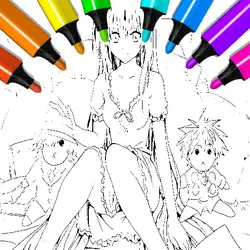
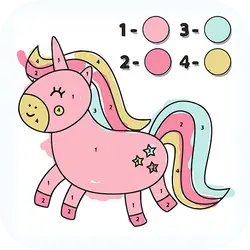
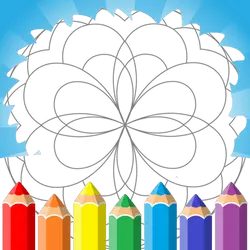
Fun Colors - game that will help you or your child to realize their creative ideas! In this free game you will find different categories of coloring pages and a drawing mode! In addition to an endless palette of colors and a variety of brushes, Fun Colors has the ability to upload your own images and photos! And so that your eyes don't get tired of being in front of the screen for a long time, you can switch the interface to night mode! Finished your next masterpiece? - send it to print without leaving the game! (function only available on PC) Features of the game: - Upload your own coloring pages (NEW!) - Mode for drawing and coloring - Coloring pages of different categories - Upload your own photos to the game - Night theme - Save game progress - Save drawings to your device - Printing drawings from the game - Adjusting the size and type of brush - Zoom in / out of the canvas - Undo the last action
How to play Fun Colors
There is very little to learn before your first run. The full control mapping is in the table below and takes a moment to skim. The game is wide rather than tall — fullscreen is worth it on a monitor, and on a phone the picture is much better sideways. If a round goes badly, restart — attempts are cheap and it is usually the fastest way to improve.
Controls
| Input | Action |
|---|---|
| Mouse / trackpad | Draw and colour |
| Left click | Pick a tool or colour |
On mobile: Tap and swipe on screen. Turn your phone sideways — this game is designed for landscape and fills a horizontal screen.
Why it is worth playing
Kids games live or die on how fast they get going. Fun Colors gets going immediately. It works as well on a phone on a bus as it does on a desktop.
At a glance
- Free to play with no account required
- Runs in the browser — nothing to download or install
- Landscape layout with fullscreen support
- Keyboard and mouse on desktop, full touch support on mobile.
- Drawing & Art gameplay — Make something on a blank canvas
- Added to our catalogue from a 2023 release
Frequently asked questions
Is Fun Colors free to play?
Yes. Fun Colors is completely free and runs in your browser. There is no purchase, no subscription and no account needed — open the page and play.
Do I need to download or install anything?
No. Fun Colors is an HTML5 game that runs inside the page itself. There is nothing to install, no plugin and no launcher — it loads like any other web page.
Can I play Fun Colors on my phone?
Yes — mobile is fully supported. Tap and swipe on screen. Turn your phone sideways — this game is designed for landscape and fills a horizontal screen.
What are the controls for Fun Colors?
Keyboard and mouse on desktop, full touch support on mobile. Mouse / trackpad — draw and colour; Left click — pick a tool or colour.
Can I play Fun Colors fullscreen?
Yes — the button in the top-right corner of the player goes fullscreen, and Escape returns you to the page.
What kind of game is Fun Colors?
Fun Colors is a kids game built around drawing & art. If that is the sort of thing you enjoy, the related games further down the page are picked using the same tags.