Fighter 3D drops you into a arcade challenge you can start in a couple of seconds. It leans on shooting, fighting and 3d, so expect a steady difficulty curve. Everything runs client-side, so it starts fast even on a modest connection.
About Fighter 3D
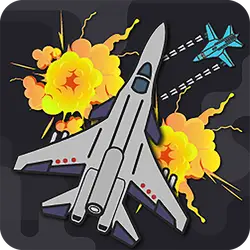
Fighter is an action packed flight shooter game. Dodge bullets from multiple aircraft and collect points whilst shooting the enemy down.
How to play Fighter 3D
The rules land within the first few seconds of play. The controls are listed in full in the table below — there are only a handful of them. Portrait layout: hold the phone the way you normally do, or play it centred in the page on desktop. Restarting is instant, so there is no cost to experimenting.
Controls
| Input | Action |
|---|---|
| Mouse | Aim |
| Left click | Fire |
| WASD | Move |
| R | Reload |
On mobile: Tap and swipe directly on the screen. The game is built for portrait, so you can play one-handed without rotating your phone.
Why it is worth playing
What keeps Fighter 3D worth returning to is how quickly a single round resolves. It respects your time — you are never more than a click from another attempt. It works as well on a phone on a bus as it does on a desktop.
At a glance
- Free to play with no account required
- Runs in the browser — nothing to download or install
- Portrait layout, comfortable one-handed on mobile
- Keyboard and mouse on desktop, full touch support on mobile.
- Shooting gameplay — Aim, fire, repeat
- Fighting gameplay — Hand-to-hand combat and tournament brawlers
- 3D gameplay — Fully three-dimensional worlds
- Added to our catalogue from a 2021 release
Frequently asked questions
Is Fighter 3D free to play?
It is free. There is no trial, no unlock and no sign-up wall on Fighter 3D — the page you are on is the whole thing.
Do I need to download or install anything?
No download, no installer, no plugin. Fighter 3D is HTML5, so the browser plays it directly.
Can I play Fighter 3D on my phone?
Yes — mobile is fully supported. Tap and swipe directly on the screen. The game is built for portrait, so you can play one-handed without rotating your phone.
What are the controls for Fighter 3D?
Keyboard and mouse on desktop, full touch support on mobile. Mouse — aim; Left click — fire; WASD — move; R — reload.
Can I play Fighter 3D fullscreen?
Yes — the button in the top-right corner of the player goes fullscreen, and Escape returns you to the page.
What kind of game is Fighter 3D?
Fighter 3D is a arcade game built around shooting, fighting and 3d. If that is the sort of thing you enjoy, the related games further down the page are picked using the same tags.