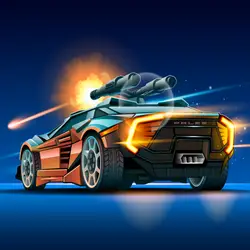
Dr Rockets is a browser-based arcade game that runs instantly, with nothing to install. Think car and shooting — that is the shape of it. No account, no install and no plugins — just the game in a browser tab.
About Dr Rockets
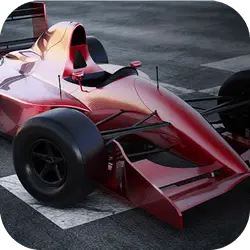
This is a compilation of 3 simple sci-fi themed minigames. Drive a rocket around the universe while traveling in three different planets. Shoot the rocket as far as you can before landing. Guide the rocket through the maze and collect all the stars along the way. Pass through 100 perilous floors.
How to play Dr Rockets
There is no tutorial to sit through — the game explains itself. You will want a keyboard for this one — the arrow keys / WASD carry most of it, and the table below has the rest. Landscape layout: give it the fullscreen button on desktop, or rotate your phone. Nothing is lost by trying something reckless once.
Controls
| Input | Action |
|---|---|
| Arrow keys / WASD | Drive and steer |
| Spacebar | Brake |
On mobile: Tap and swipe on screen. Turn your phone sideways — this game is designed for landscape and fills a horizontal screen.
Why it is worth playing
The appeal here is the loop: a short round, a clear result, and an obvious idea about what to do differently next time. That is a rarer quality than it sounds.
At a glance
- Free to play with no account required
- Runs in the browser — nothing to download or install
- Landscape layout with fullscreen support
- Keyboard and mouse on desktop, full touch support on mobile.
- Car gameplay — Anything with four wheels and an engine
- Shooting gameplay — Aim, fire, repeat
- Added to our catalogue from a 2023 release
Frequently asked questions
Is Dr Rockets free to play?
Yes, entirely free. Dr Rockets costs nothing to play, asks for no card and has no paid tier hiding behind it.
Do I need to download or install anything?
No download, no installer, no plugin. Dr Rockets is HTML5, so the browser plays it directly.
Can I play Dr Rockets on my phone?
Yes — mobile is fully supported. Tap and swipe on screen. Turn your phone sideways — this game is designed for landscape and fills a horizontal screen.
What are the controls for Dr Rockets?
Keyboard and mouse on desktop, full touch support on mobile. Arrow keys / WASD — drive and steer; Spacebar — brake.
Can I play Dr Rockets fullscreen?
Yes — the button in the top-right corner of the player goes fullscreen, and Escape returns you to the page.
What kind of game is Dr Rockets?
Dr Rockets is a arcade game built around car and shooting. If that is the sort of thing you enjoy, the related games further down the page are picked using the same tags.