Connect drops you into a arcade challenge you can start in a couple of seconds. It leans on music & rhythm and retro & arcade, so expect plenty of replay value. Everything runs client-side, so it starts fast even on a modest connection.
About Connect
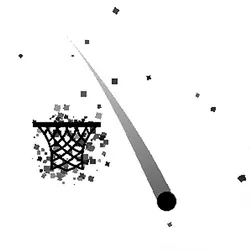
A timing based arcade game with a total of 15 levels. To beat a level, you will have to reach the box with the red lamp on top of it. After you have beaten the 15 levels.. You can play them again but on challenge mode, good luck!
How to play Connect
There is very little to learn before your first run. Everything is done with the mouse. No key bindings to learn, so the phone version plays identically to the desktop one. Landscape layout: give it the fullscreen button on desktop, or rotate your phone. If a round goes badly, restart — attempts are cheap and it is usually the fastest way to improve.
Controls
| Input | Action |
|---|---|
| Mouse or number keys | Hit the notes on the beat |
On mobile: Tap and swipe on screen. Turn your phone sideways — this game is designed for landscape and fills a horizontal screen.
Why it is worth playing
What makes Connect stick is that failure is informative. You can usually name the mistake, and that is what makes another attempt tempting. It is not trying to be anything larger, and it is better for it.
At a glance
- Free to play with no account required
- Runs in the browser — nothing to download or install
- Landscape layout with fullscreen support
- Keyboard and mouse on desktop, full touch support on mobile.
- Music & Rhythm gameplay — Stay on the beat
- Retro & Arcade gameplay — Cabinet-era games that still hold up
- Added to our catalogue from a 2021 release
Frequently asked questions
Is Connect free to play?
Yes, entirely free. Connect costs nothing to play, asks for no card and has no paid tier hiding behind it.
Do I need to download or install anything?
No download, no installer, no plugin. Connect is HTML5, so the browser plays it directly.
Can I play Connect on my phone?
Yes. Tap and swipe on screen. Turn your phone sideways — this game is designed for landscape and fills a horizontal screen.
What are the controls for Connect?
Keyboard and mouse on desktop, full touch support on mobile. Mouse or number keys — hit the notes on the beat.
Can I play Connect fullscreen?
There is a fullscreen control in the top-right of the player. Press Escape when you want the page back.
What kind of game is Connect?
Connect is a arcade game built around music & rhythm and retro & arcade. If that is the sort of thing you enjoy, the related games further down the page are picked using the same tags.