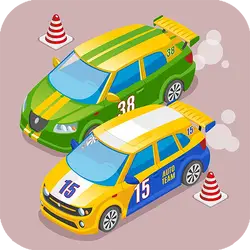
Car Driving Lesson drops you into a arcade challenge you can start in a couple of seconds. It leans on car and retro & arcade, so expect a steady difficulty curve. You can jump in for two minutes or lose an hour to it; either works.
About Car Driving Lesson
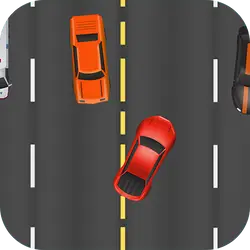
car driving lesson is an isometric arcade html5 game, control the car up and down avoid collisions and get the highest score
How to play Car Driving Lesson
Nothing here needs explaining twice. On desktop the arrow keys / WASD do the moving; the full mapping is in the table below. It is built tall rather than wide — comfortable one-handed on a phone, centred and uncropped on a monitor. There is no penalty for failing, so push a little harder than feels safe.
Controls
| Input | Action |
|---|---|
| Arrow keys / WASD | Drive and steer |
| Spacebar | Brake |
On mobile: Tap and swipe directly on the screen. The game is built for portrait, so you can play one-handed without rotating your phone.
Why it is worth playing
Difficulty in Car Driving Lesson comes from the game itself rather than from waiting, unlocking or paying, which is rarer than it should be. That is a rarer quality than it sounds.
At a glance
- Free to play with no account required
- Runs in the browser — nothing to download or install
- Portrait layout, comfortable one-handed on mobile
- Keyboard and mouse on desktop, full touch support on mobile.
- Car gameplay — Anything with four wheels and an engine
- Retro & Arcade gameplay — Cabinet-era games that still hold up
- Added to our catalogue from a 2024 release
Frequently asked questions
Is Car Driving Lesson free to play?
It is free. There is no trial, no unlock and no sign-up wall on Car Driving Lesson — the page you are on is the whole thing.
Do I need to download or install anything?
No download, no installer, no plugin. Car Driving Lesson is HTML5, so the browser plays it directly.
Can I play Car Driving Lesson on my phone?
Yes. Tap and swipe directly on the screen. The game is built for portrait, so you can play one-handed without rotating your phone.
What are the controls for Car Driving Lesson?
Keyboard and mouse on desktop, full touch support on mobile. Arrow keys / WASD — drive and steer; Spacebar — brake.
Can I play Car Driving Lesson fullscreen?
There is a fullscreen control in the top-right of the player. Press Escape when you want the page back.
What kind of game is Car Driving Lesson?
Car Driving Lesson is a arcade game built around car and retro & arcade. If that is the sort of thing you enjoy, the related games further down the page are picked using the same tags.