Looking for a quick arcade game? Bus Parking City 3D runs in the browser and needs no download. The core of it is car, simulation and 3d. There is no sign-up, no launcher and no wait — press play and you are in.
About Bus Parking City 3D
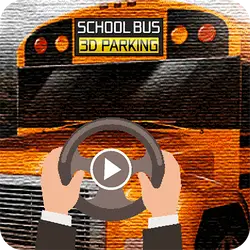
Bus Parking City 3D is a realistic Bus Driving game and Bus Simulator having a 3D gameplay. With each passing level come more difficulty and require much more of your expertise to reach the next level. This game will also test your driving expertise as a bus driver as is not as easy as a car and parking the bus is even more critical.
How to play Bus Parking City 3D
There is no tutorial to sit through — the game explains itself. Keep a hand on the arrow keys / WASD; everything else is listed in the controls table. It fills the player in landscape, so use the fullscreen button on desktop and turn your phone sideways on mobile. The second run is always better than the first — that is the whole learning curve.
Controls
| Input | Action |
|---|---|
| Arrow keys / WASD | Drive and steer |
| Spacebar | Brake |
On mobile: Tap and swipe on screen. Turn your phone sideways — this game is designed for landscape and fills a horizontal screen.
Why it is worth playing
What keeps Bus Parking City 3D worth returning to is how quickly a single round resolves. It respects your time — you are never more than a click from another attempt. A browser game does not need to be more than that.
At a glance
- Free to play with no account required
- Runs in the browser — nothing to download or install
- Landscape layout with fullscreen support
- Keyboard and mouse on desktop, full touch support on mobile.
- Car gameplay — Anything with four wheels and an engine
- Simulation gameplay — Run the whole operation yourself
- 3D gameplay — Fully three-dimensional worlds
- Added to our catalogue from a 2022 release
Frequently asked questions
Is Bus Parking City 3D free to play?
It is free. There is no trial, no unlock and no sign-up wall on Bus Parking City 3D — the page you are on is the whole thing.
Do I need to download or install anything?
Nothing at all. Bus Parking City 3D runs in the browser tab you already have open, the same way a video or a map does.
Can I play Bus Parking City 3D on my phone?
It works on phones and tablets. Tap and swipe on screen. Turn your phone sideways — this game is designed for landscape and fills a horizontal screen.
What are the controls for Bus Parking City 3D?
Keyboard and mouse on desktop, full touch support on mobile. Arrow keys / WASD — drive and steer; Spacebar — brake.
Can I play Bus Parking City 3D fullscreen?
Yes — the button in the top-right corner of the player goes fullscreen, and Escape returns you to the page.
What kind of game is Bus Parking City 3D?
Bus Parking City 3D is a arcade game built around car, simulation and 3d. If that is the sort of thing you enjoy, the related games further down the page are picked using the same tags.