Brick Out 240 is a browser-based arcade game that runs instantly, with nothing to install. It leans on retro & arcade and block & tetris-like, so expect something that rewards a bit of practice. Everything runs client-side, so it starts fast even on a modest connection.
About Brick Out 240
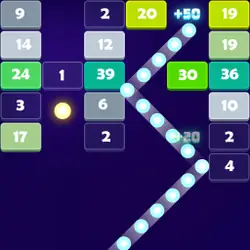
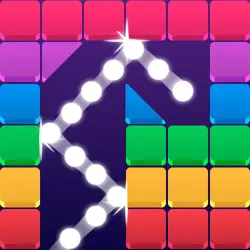
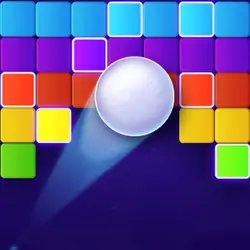
A classic brick out game with 240 levels and 06 power ups! The blocks are varied in different colors, some of which have greater durability and must be beaten more than once to break them. There are others that are totally solid, unbreakable, which will make your experience even more challenging.
How to play Brick Out 240
There is no tutorial to sit through — the game explains itself. You will want a keyboard for this one — the arrow keys / WASD carry most of it, and the table below has the rest. It is built tall rather than wide — comfortable one-handed on a phone, centred and uncropped on a monitor. Take the first run as practice and the second one seriously.
Controls
| Input | Action |
|---|---|
| Mouse | Navigate menus and interact |
| Arrow keys / WASD | Move |
| Spacebar | Primary action |
On mobile: Tap and swipe directly on the screen. The game is built for portrait, so you can play one-handed without rotating your phone.
Why it is worth playing
Plenty of arcade games want a tutorial and ten minutes of setup before anything happens. Brick Out 240 does not — it is playable from the first second. That is a rarer quality than it sounds.
At a glance
- Free to play with no account required
- Runs in the browser — nothing to download or install
- Portrait layout, comfortable one-handed on mobile
- Keyboard and mouse on desktop, full touch support on mobile.
- Retro & Arcade gameplay — Cabinet-era games that still hold up
- Block & Tetris-like gameplay — Fit the shapes, clear the lines
- Added to our catalogue from a 2022 release
Frequently asked questions
Is Brick Out 240 free to play?
Yes. Brick Out 240 is completely free and runs in your browser. There is no purchase, no subscription and no account needed — open the page and play.
Do I need to download or install anything?
No. Brick Out 240 is an HTML5 game that runs inside the page itself. There is nothing to install, no plugin and no launcher — it loads like any other web page.
Can I play Brick Out 240 on my phone?
Yes. Tap and swipe directly on the screen. The game is built for portrait, so you can play one-handed without rotating your phone.
What are the controls for Brick Out 240?
Keyboard and mouse on desktop, full touch support on mobile. Mouse — navigate menus and interact; Arrow keys / WASD — move; Spacebar — primary action.
Can I play Brick Out 240 fullscreen?
Yes. Use the fullscreen button in the top-right of the game player to expand it to the whole screen, and press Escape to come back out.
What kind of game is Brick Out 240?
Brick Out 240 is a arcade game built around retro & arcade and block & tetris-like. If that is the sort of thing you enjoy, the related games further down the page are picked using the same tags.