Battboy Adventure is a free adventure game you can play right here in your browser. Everything runs client-side, so it starts fast even on a modest connection.
About Battboy Adventure
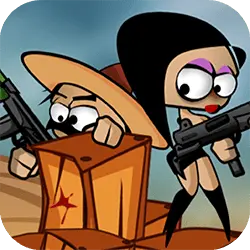
“Battboy Adventure” is a platform game, where the hero must overcome all the levels by dodging the thorns and eliminating the villains (killer clowns). Collect all the stars to complete the game 100%. The graphics are colorful, cartoonized and beautiful. Altogether, there are 08 levels that increase the difficulty as the player goes through each one.
How to play Battboy Adventure
There is no tutorial to sit through — the game explains itself. You will want a keyboard for this one — the arrow keys / WASD carry most of it, and the table below has the rest. It fills the player in landscape, so use the fullscreen button on desktop and turn your phone sideways on mobile. Nothing is lost by trying something reckless once.
Controls
| Input | Action |
|---|---|
| Mouse | Navigate menus and interact |
| Arrow keys / WASD | Move |
| Spacebar | Primary action |
On mobile: Tap and swipe on screen. Turn your phone sideways — this game is designed for landscape and fills a horizontal screen.
Why it is worth playing
Adventure games live or die on how fast they get going. Battboy Adventure gets going immediately. Nothing about it assumes you have played it before.
At a glance
- Free to play with no account required
- Runs in the browser — nothing to download or install
- Landscape layout with fullscreen support
- Keyboard and mouse on desktop, full touch support on mobile.
- Added to our catalogue from a 2022 release
Frequently asked questions
Is Battboy Adventure free to play?
Yes, entirely free. Battboy Adventure costs nothing to play, asks for no card and has no paid tier hiding behind it.
Do I need to download or install anything?
No download, no installer, no plugin. Battboy Adventure is HTML5, so the browser plays it directly.
Can I play Battboy Adventure on my phone?
Yes. Tap and swipe on screen. Turn your phone sideways — this game is designed for landscape and fills a horizontal screen.
What are the controls for Battboy Adventure?
Keyboard and mouse on desktop, full touch support on mobile. Mouse — navigate menus and interact; Arrow keys / WASD — move; Spacebar — primary action.
Can I play Battboy Adventure fullscreen?
There is a fullscreen control in the top-right of the player. Press Escape when you want the page back.