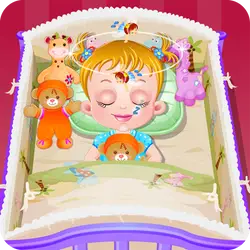
Baby Hazel Backyard Party is a browser-based kids game that runs instantly, with nothing to install. Everything runs client-side, so it starts fast even on a modest connection.
About Baby Hazel Backyard Party
Baby Hazel was busy watching her favorite TV show, suddenly she got an idea of backyard party. She will be hosting the party first time, so she needs your help in decorating the venue and making all other necessary arrangements for the gathering. Play the game to help Hazel in organizing the party and also make sure guests are served properly.
How to play Baby Hazel Backyard Party
Nothing here needs explaining twice. On desktop the arrow keys / WASD do the moving; the full mapping is in the table below. Landscape layout: give it the fullscreen button on desktop, or rotate your phone. There is no penalty for failing, so push a little harder than feels safe.
Controls
| Input | Action |
|---|---|
| Mouse | Navigate menus and interact |
| Arrow keys / WASD | Move |
| Spacebar | Primary action |
On mobile: Tap and swipe on screen. Turn your phone sideways — this game is designed for landscape and fills a horizontal screen.
Why it is worth playing
Baby Hazel Backyard Party is easy to start and harder to master, which is the balance the best browser games hit. A browser game does not need to be more than that.
At a glance
- Free to play with no account required
- Runs in the browser — nothing to download or install
- Landscape layout with fullscreen support
- Keyboard and mouse on desktop, full touch support on mobile.
- Added to our catalogue from a 2021 release
Frequently asked questions
Is Baby Hazel Backyard Party free to play?
Yes, entirely free. Baby Hazel Backyard Party costs nothing to play, asks for no card and has no paid tier hiding behind it.
Do I need to download or install anything?
No. Baby Hazel Backyard Party is an HTML5 game that runs inside the page itself. There is nothing to install, no plugin and no launcher — it loads like any other web page.
Can I play Baby Hazel Backyard Party on my phone?
Yes. Tap and swipe on screen. Turn your phone sideways — this game is designed for landscape and fills a horizontal screen.
What are the controls for Baby Hazel Backyard Party?
Keyboard and mouse on desktop, full touch support on mobile. Mouse — navigate menus and interact; Arrow keys / WASD — move; Spacebar — primary action.
Can I play Baby Hazel Backyard Party fullscreen?
There is a fullscreen control in the top-right of the player. Press Escape when you want the page back.