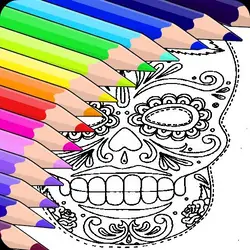
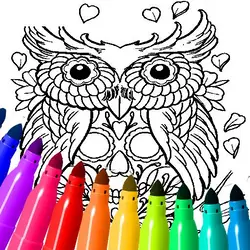
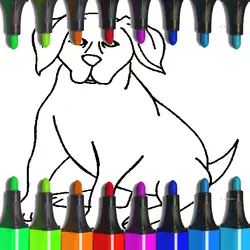
Art Jumble drops you into a puzzle challenge you can start in a couple of seconds. It leans on drawing & art and for kids, so expect something that rewards a bit of practice. Everything runs client-side, so it starts fast even on a modest connection.
About Art Jumble
Fixed pieces of art together and learn about their history in this cool game made for kids
How to play Art Jumble
The opening minute doubles as the tutorial. The controls are listed in full in the table below — there are only a handful of them. The game is wide rather than tall — fullscreen is worth it on a monitor, and on a phone the picture is much better sideways. Expect the first attempt to be a write-off; that is normal here.
Controls
| Input | Action |
|---|---|
| Mouse / trackpad | Draw and colour |
| Left click | Pick a tool or colour |
On mobile: Tap and swipe on screen. Turn your phone sideways — this game is designed for landscape and fills a horizontal screen.
Why it is worth playing
Difficulty in Art Jumble comes from the game itself rather than from waiting, unlocking or paying, which is rarer than it should be. It earns the replay rather than demanding it.
At a glance
- Free to play with no account required
- Runs in the browser — nothing to download or install
- Landscape layout with fullscreen support
- Keyboard and mouse on desktop, full touch support on mobile.
- Drawing & Art gameplay — Make something on a blank canvas
- For Kids gameplay — Simple, friendly and safe for younger players
- Added to our catalogue from a 2022 release
Frequently asked questions
Is Art Jumble free to play?
Yes. Art Jumble is completely free and runs in your browser. There is no purchase, no subscription and no account needed — open the page and play.
Do I need to download or install anything?
No. Art Jumble is an HTML5 game that runs inside the page itself. There is nothing to install, no plugin and no launcher — it loads like any other web page.
Can I play Art Jumble on my phone?
Yes — mobile is fully supported. Tap and swipe on screen. Turn your phone sideways — this game is designed for landscape and fills a horizontal screen.
What are the controls for Art Jumble?
Keyboard and mouse on desktop, full touch support on mobile. Mouse / trackpad — draw and colour; Left click — pick a tool or colour.
Can I play Art Jumble fullscreen?
There is a fullscreen control in the top-right of the player. Press Escape when you want the page back.
What kind of game is Art Jumble?
Art Jumble is a puzzle game built around drawing & art and for kids. If that is the sort of thing you enjoy, the related games further down the page are picked using the same tags.